ARTICLE
SaaS Homepage Messaging & CTA Architecture (2026 Playbook)


Dmitriy Dar
Founder
Updated:
Introduction
If your homepage looks premium but doesn’t convert, the problem usually isn’t “we need better visuals.”
It’s this: your message is not doing its job fast enough, and your CTAs don’t guide a real decision.
Modern SaaS buyers don’t read. They scan. They’re skeptical. They’re comparing you to two competitors in other tabs. If your homepage doesn’t answer the core questions in seconds, you’re paying for traffic just to educate people for someone else.
This article is an operational playbook for building homepage messaging and CTA architecture that moves demos, trials, and pipeline.
What this really is (and what teams confuse it with)
Homepage messaging is not copywriting. It’s positioning translated into page reality:
Who it’s for
What outcome do you deliver
Why you’re different (in a way buyers care about)
What to do next
CTA architecture is not “put a button in the hero.” It’s decision routing:
One primary path that matches your go-to-market
Secondary paths that reduce friction (proof, deeper context, alternatives)
A sequence that keeps intent alive as users scroll
Where teams lose money:
H1 is vague (“All-in-one platform for…”)
CTA options are chaotic (Trial + Demo + Contact + Download)
Proof is separated from claims
The page is built like an agency portfolio, not like a buying journey
The Homepage Playbook (Messaging + CTA Architecture)
1) Start with the buying moment, not the product description
Why it matters: Buyers don’t wake up wanting “a platform.” They wake up with a painful moment.
What to do:
Identify the moment that triggers evaluation:
“We’re leaking revenue because onboarding is messy”
“Our approvals flow breaks at scale”
“Security reviews are blocking deals”
Write the homepage as a response to that moment.
Common mistake: Explaining the product category before naming the pain.
Example:
Instead of “Unified treasury management,” lead with: “Approve spend in minutes — without losing control.”
2) Choose ONE primary conversion goal (and build around it)
Why it matters: If your business is sales-led, a “Start free trial” CTA often creates low-quality intent. If you’re product-led, “Book a demo” can slow adoption.
What to do:
Pick the single primary action that matches how you win:
Sales-led: Book a demo / Talk to sales
Product-led: Start free / Create account
Hybrid: Start free + “Request demo” as secondary
Make everything else support that path.
Common mistake: Designing for “everyone” and ending up with no clear next step.
3) Use a “message ladder” in the hero (H1 → subhead → proof → CTA)
Why it matters: The hero must carry the whole page if people don’t scroll.
What to do:
H1: outcome + audience (no buzzwords)
Subhead: how you do it + what changes
Proof line: logos, metric, category credibility
CTA: primary + one secondary
H1 formulas that actually work:
“Do X without Y” (outcome without the pain)
“X for Y teams” (audience-specific positioning)
“Replace A + B with C” (competitive clarity)
Common mistake: “All-in-one” language. It’s the fastest way to sound like every competitor.
4) Build a CTA hierarchy (primary, secondary, tertiary — each with a job)
Why it matters: CTAs are not buttons. They’re commitment levels.
What to do:
Primary CTA: the business goal (demo/trial)
Secondary CTA: reduces risk without losing intent
Examples:“See it in action” (short product video)
“View pricing”
“Read case study”
Tertiary CTA (optional): for high-skeptic buyers
Examples:“Security & compliance”
“How it works”
“Compare”
Common mistake: Multiple CTAs with equal weight. It creates decision paralysis.
5) Put proof next to claims (don’t make users hunt for trust)
Why it matters: In B2B, belief is the bottleneck. Ifthe proof is far away, your claim reads like marketing.
What to do:
Attach proof directly under the claim:
“Used by finance teams at…” (logos)
One sharp testimonial that mentions a real outcome
A specific quantified benefit only if true and defensible
Use proof objects, not fluff:
Case study outcome
Security standards (only if real)
Integration partners
Customer quotes with role + company type
Common mistake: A “Trusted by” strip with unknown logos and no context.
6) Make differentiation explicit (buyers won’t infer it)
Why it matters: If you don’t name how you’re different, prospects create their own story — usually “same as the others, just prettier.”
What to do:
Add a “Why us” block early:
3 bullets max
Each bullet is a meaningful difference
Write differences as tradeoffs:
“Built for teams with approvals complexity”
“Designed for regulated workflows”
“Fast setup, no consultants”
Common mistake: Differentiation via generic values (“innovation,” “customer-centric,” “AI-powered”).
7) Treat the homepage like a guided narrative, not a section dump
Why it matters: A homepage is a persuasion sequence.
What to do (proven flow):
Problem + promise (hero)
Outcomes (what improves)
How it works (3-step clarity)
Key features (only what supports outcomes)
Proof (case, testimonial, logos)
Objections (pricing, implementation, security)
Final CTA block (strong close, no distractions)
Common mistake: Starting with features, then hoping the user “gets it.”
8) Reduce cognitive load: fewer words, tighter components, cleaner scan paths
Why it matters: Buyers skim under stress. Your page must be readable at speed.
What to do:
Keep paragraphs short (1–3 lines)
Prefer bullet blocks over essays
Use clear labels: “For Finance Ops”, “For Security Teams”
Ensure each section has:
1-line claim
3 bullets explaining
proof or next-step link
Common mistake: Long “brand story” blocks on B2B homepages with no decision value.
9) Add “risk reducers” where decisions happen
Why it matters: Most drop-off is fear, not lack of interest.
What to do:
Near primary CTA, add:
“No credit card”
“Cancel anytime”
“Live demo in 24h”
“SOC2 / GDPR-ready” (only if accurate)
“Typical setup: 30 minutes / 2 days / 2 weeks” (set expectations)
Common mistake: Risk reducers are buried in the footer or FAQ only.
10) Your homepage must work for AI + search scanning (without becoming SEO spam)
Why it matters: Increasingly, your homepage is summarized by machines before humans ever click deep.
What to do:
Use explicit language:
“B2B expense approvals software”
“Cybersecurity exposure monitoring for SMBs”
Add “definition blocks” that are easy to quote:
“X is for Y who needs Z”
Make headings descriptive (not cute)
Keep your unique angle consistent across sections
Common mistake: Writing clever headlines that say nothing (“Control. Clarity. Scale.”)
Metrics & instrumentation (how you know what to fix)
A homepage is a funnel step. Track it like one.
Core metrics:
Hero primary CTA CTR
Scroll depth to the first proof section
Pricing page clicks (if pricing is part of the buying flow)
Demo/trial starts attributed to homepage sessions
Assisted conversions (homepage > case > demo)
Behavioral signals (diagnosis):
High traffic + low CTA CTR → unclear message or wrong audience
High scroll + low conversion → people are curious but unconvinced (proof/objections missing)
High clicks on nav items like “Security” → trust gap (surface it earlier)
Repeated visits before conversion → page lacks decisive clarity
Events worth tracking:
hero_primary_cta_clicksecondary_cta_click(pricing/case/how-it-works)testimonial_expand/case_study_opennav_security_click/nav_pricing_clickvideo_play(if used)
The DAR approach
We treat homepage messaging like product UX:
Define the buyer moment and ICP (so the page speaks to real intent)
Build a message ladder that explains value fast
Design a CTA hierarchy that matches your sales motion
Deliver dev-ready outputs: page structure, copy blocks, component specs, and tracking events
A homepage shouldn’t “look modern.” It should route intent into revenue.
Case from our practice
On a multi-page SaaS website project (B2B product with a fairly skeptical buyer: ops + finance stakeholders, long evaluation cycle), the founder came in with what most founders have: raw material, not “final copy.”
A few bullets about the product, a Notion doc with feature dumps, and a handful of phrases like “all-in-one platform,” “AI-powered,” “enterprise-ready.” Nothing wrong with that — it’s normal.
We did what a serious redesign requires: message architecture first. We reviewed category patterns, looked at what credible competitors lead with, mapped buyer objections, and then built the homepage like a sales conversation:
Outcome-first hero (what improves, for who)
A proof line right under the claim (so it doesn’t read like marketing)
One dominant CTA that matched their motion (sales-led → demo path), plus a secondary CTA for skeptics (“How it works” / “Security”)
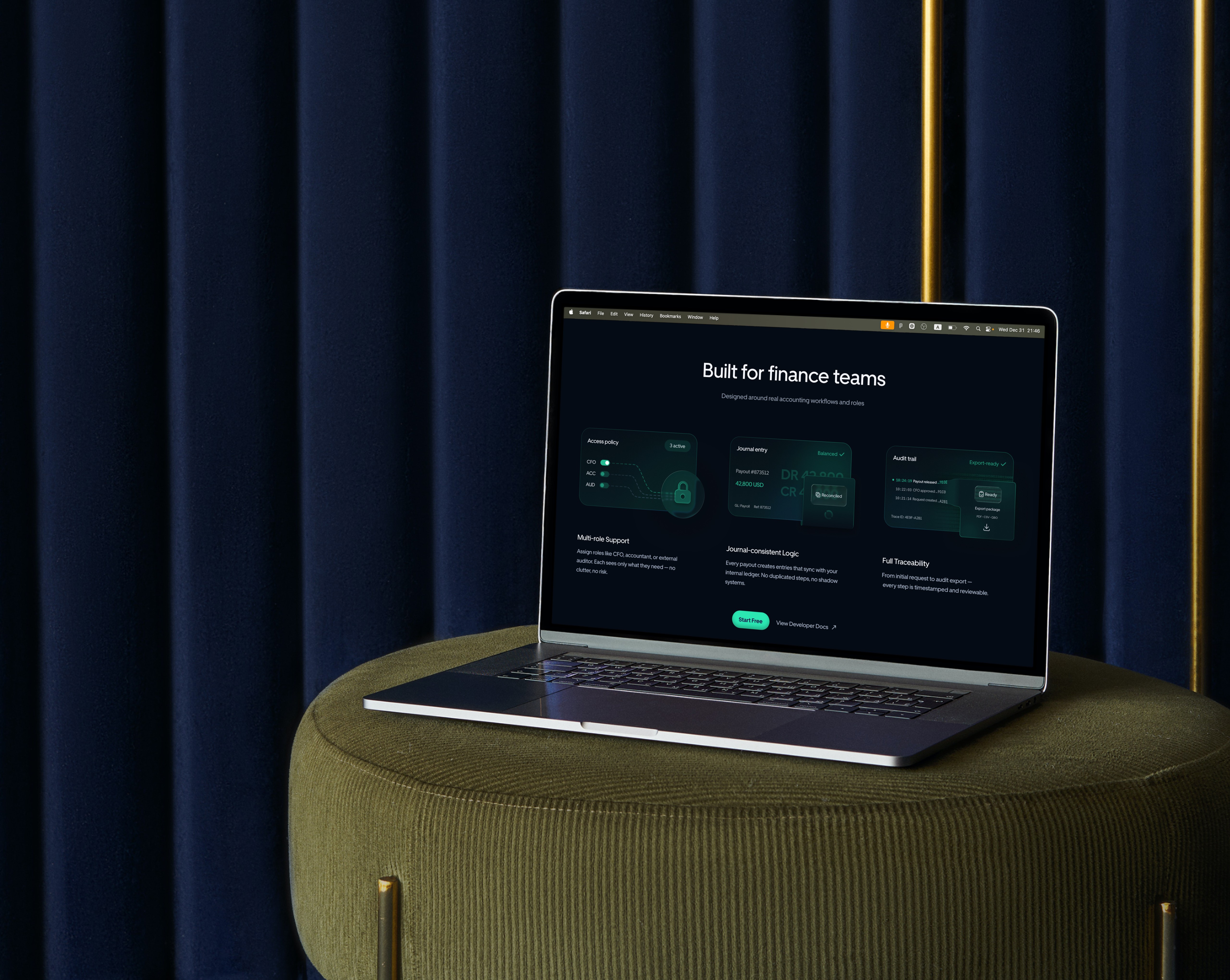
“Product evidence” visuals that made the thing feel real (screens, real states, believable data, operational details)
Then we invested time in the expensive part most teams underestimate: visual evidence tied to meaning.
We weren’t placing random pretty screenshots. We built feature-reveal graphics and micro-narratives that matched the copy hierarchy — the exact wording, the order of claims, the flow of attention.
And then the classic moment happened.
A week before the final review, the founder said:
“We have a new version of the copy from our copywriter. Let’s replace everything.”
The new copy wasn’t “better” or “worse.” It was a different strategy:
Headlines became 2–3x longer
The hero shifted from outcome → feature list
The CTA got turned into vague language (“Start now”) without the surrounding context that made it make sense
Section priorities changed (what used to be proof-first became “brand story first”)
Even the terminology changed (which matters a lot in SaaS, because terminology is part of onboarding)
If we blindly swapped text, the homepage would still “look premium,” but it would stop working as a decision system. The UI would no longer support the logic, and the visuals we crafted would start feeling mismatched — like a movie trailer edited for the wrong film.
So we treated it like a product problem, not a typography problem.
We pulled the team into a short alignment session and made one thing explicit:
Copy changes after layout aren’t “just copy changes.” They’re conversion architecture changes.
New copy = new hierarchy = new page logic = new CTA behavior = new visual system updates.
We agreed on a controlled approach:
We kept the message ladder intact (outcome → mechanism → proof → next step).
We allowed copywriter improvements inside the existing hierarchy, not a full strategy swap.
For any section that truly changed meaning, we flagged it as new scope, because it triggers redesign of visuals and CTA routing.
We locked a “copy freeze” milestone so the dev handoff wouldn’t become endless rework.
The result: the founder still got “better copy,” but we protected what mattered — clarity, trust, and a coherent CTA path. And most importantly, we prevented that slow, expensive death where the page becomes a Frankenstein mix of random copy decisions and leftover design intent.
The takeaway: a homepage isn’t a canvas where you paste text at the end. Messaging + CTA + layout + visuals are one mechanism. If a partner demands “final copy upfront” and then treats the page like a poster, you’re not buying a conversion asset — you’re buying a pretty layout with unpredictable results. (Client and project details anonymized.)
Sources
Nielsen Norman Group — Trustworthiness in Web Design: 4 Credibility Factors
Stanford Web Credibility Guidelines — Stanford Persuasive Technology Lab
Google Search Central — Creating helpful, reliable, people-first content
Nielsen Norman Group — Hick’s Law: Making the Choice Easier for Users
CXL — Copywriting Frameworks: How to Structure Persuasive Copy
FAQ
How long should a SaaS homepage be in 2026?
Long enough to resolve objections for your buyer. If your sales cycle is complex, you need more proof and clarity. Don’t optimize for “short.” Optimize for “decisive.”
Should we push “Start free trial” or “Book demo”?
Match your GTM. If time-to-value is fast and setup is light → trial. If implementation, compliance, or pricing complexity exists → demo.
How many CTAs should be above the fold?
Usually two: one primary and one secondary. More than that creates decision friction.
What’s the biggest homepage messaging mistake you see?
Vague positioning. If your H1 could fit any competitor, it’s not positioning — it’s filler.
Do we need pricing on the homepage?
Not always. But you should always support pricing intent with a clear path (“View pricing”) if buyers commonly ask it early.
Where should testimonials go?
Near the first big claim and near the final CTA. Proof works best when it supports a decision, not when it’s dumped at the end.
What should the hero image show for B2B SaaS?
A clear product reality: the main UI context that matches your promise. Avoid abstract visuals unless you already have strong proof and brand recognition.
How do we differentiate if competitors have similar features?
Differentiate by audience, workflow complexity, implementation speed, support model, compliance readiness, and measurable outcomes — not by “more features.”
Should we use video in the hero?
Only if it reduces effort. Keep it short and optional. Don’t replace clarity with motion.
How often should we update homepage messaging?
Whenever you shift ICP, packaging, or your core promise proves wrong in sales calls. Messaging should reflect what actually closes deals.
TEAM'S BLOG